
PayID is an Australian payment service that simplifies the process of sending money by eliminating the need to remember destination account numbers. Customers opt to use Smartway’s email address for payment.
Frequently Asked Questions
About Zinga
Who is Zinga?
Zinga is a licensed digital remittance service that enables customers in Australia to transfer funds securely and efficiently to Thailand, with additional destinations becoming available soon.
What are Zinga’s operating hours?
Transfer orders may be created 24/7. Processing, customer support, and compliance functions operate during standard business hours.
How long does a transfer take?
Most transfers to Thailand are completed within minutes to a few hours, depending on payment method, bank processing, and compliance checks.
Can I place a transfer outside business hours?
Yes. Transfers created outside operating hours will be processed in the next available window.
Does Zinga have a physical shopfront?
No. Zinga operates primarily as a digital platform.
Registration & Account Verification
Registration & Account Verification
How do I register?
Download the Zinga app and complete the required identity verification steps.
What documents are required?
A valid passport or Australian driver licence, proof of address, and documents for large transfer verification.
Transfers & Transaction Requirements
Where can I check exchange rates?
Current rates are shown in the Zinga app before confirming a transfer.
What fees apply?
All applicable fees are displayed clearly before the transfer is submitted.
Is there a minimum or maximum transfer amount?
Yes. Minimum and maximum limits depend on verification level and are shown in-app.
Pay ID
How to choose a money transfer via PayID?
After enters the transfer amount and selects the recipient account, the system will prompt you to choose a money transfer type between Poli or PayID.
How to cancel a PayID booked transaction ?
To cancel a PayID booked transaction, please contact Smartway’s customer support team.
Forgot to fill the Description, What to do?
If you enter the wrong description number or don’t enter it, the money will not reach us. It will take the bank between one and five business days, excluding weekends, to verify and refund the money back to your account during this phase.
Why has the PayID transfer been cancelled?
If the balances do not match, the system will automatically refund the money; the duration depends on each bank and ranges from 1–5 working days.
Bank Transfer
What is Bank Transfer?
Bank Transfer is a payment method that allows customers to fund their Zinga transaction by transferring money directly from their Australian bank account to Zinga’s designated bank account. This method is secure, widely supported by Australian banks, and provides clear traceability for verification purposes.
How do I make a Bank Transfer payment?
When you create a transfer in the Zinga app and select Bank Transfer as your payment method, the system will display:
– Account name
– BSB number
– Account number
– Exact payable amount
– Your unique Payment Reference Number
To complete your payment:
1. Open your online banking or mobile banking app.
2. Choose ‘Transfer to Bank Account.’
3. Enter the BSB, account number, and exact amount.
4. Enter the Payment Reference Number exactly as displayed.
5. Confirm your payment.
Why is the Payment Reference Number important?
The Payment Reference Number links your bank payment to your Zinga transfer order. If missing or incorrect, the system cannot automatically match your payment, which may result in delays, manual review, or your transaction being placed on hold.
What should I do if I forgot to enter the Payment Reference Number?
If you submitted a payment without entering the reference number, please contact customer support and provide:
– A screenshot of your bank transfer
– Your bank name and account holder name
– Transfer amount
– Date and time of payment
– Your Zinga transaction ID
Our team will manually verify and match your payment. Additional processing time may apply.
How long does Zinga take to verify my Bank Transfer?
Bank Transfer payments are typically verified within 15 minutes to 2 hours during business hours. Verification may take longer if your bank does not support real-time transfers, the reference number is missing, the amount is incorrect, or compliance checks are required.
What happens if the transferred amount does not match the required amount?
If the transferred amount does not match the amount shown in the Zinga app, your order may be placed on hold, you may be contacted for confirmation, or the transaction may be refunded. Bank fees may apply. Always send the exact amount displayed.
Why was my Bank Transfer payment rejected or cancelled?
Your payment may be rejected or cancelled due to:
1. Payment not received in time
2. Incorrect amount
3. Missing or incorrect reference number
4. Inability to verify payer identity
5. AML/CTF compliance concerns
6. Suspicious or unusual activity
7. Bank reversal or rejection
Can I use someone else’s bank account to make the payment?
No. For compliance and security reasons, the bank account used must belong to the same person who owns the Zinga account. Payments from third-party accounts may cause delays or lead to cancellation.
What should I do if the payment was deducted but Zinga has not received it?
Please check:
1. Whether your bank shows the payment as ‘Completed’
2. Whether the payment was reversed or rejected
3. Whether the reference number was correct
If payment was completed, contact support with:
– Transfer receipt
– Bank details used
– Exact amount paid
– Date and time of payment
– Zinga transaction ID
How long does it take for the recipient to receive the funds after my payment is confirmed?
Once your Bank Transfer is verified, Zinga will begin processing your transfer. Most transfers to Thailand are completed within minutes to a few hours, depending on bank processing, compliance checks, and system traffic.
Can I cancel a transfer funded by Bank Transfer?
You may cancel your transfer only if your payment has not yet been verified. Once payout begins, cancellation may not be possible.
Are there fees for refunds on Bank Transfer payments?
Refunds may incur bank or provider fees. Any applicable fees will be disclosed before processing. Refunds may occur in cases such as incorrect amounts, unverifiable payments, compliance issues, or cancelled orders.
Sign Up
How to sign up ?
Download App to register
Complete the registration form and confirm your email address.
Log in to your account and complete your profile information.
Upload a clear photo of your identification document and proof of Australian address.
Our staff will verify your information and approve your account within 24 hours.
Once your account is approved, you can start transferring funds immediately.
Can the unsigned up get the transfer service ?
Without a member account, you will not be able to use Zinga’s money transfer services.
Does the membership has an expired date or not?
The membership account does not have an expiration date. However, if your identity document has expired, you will need to update it with new documents in order to continue using your membership account.
What documents are required?
- Proof of Identity
- Picture of Passport
- Proof of Australia Address (submit only one of these)
- Picture of Australia Driver’s license front and back
- Picture of Australia Photo Card front and back
- PDF file of Bank Statement for the past 3 months
– We do not accept scanned files.
– Photo must be taken from the original documents only.
– The documents must be clear not fadded nor reflect.
– The documents must not expired on the date that an account was approved
Why do I need to submit documents?
We registered our company as a remittance service provider with AUSTRAC, and their regulation requirements need our customer to provide 2 proof of identities documentations both must be the photo taken from the original documentation.
Forgot your password? Here's what to do
Go to App and click Forgot Password
You will receive an email to reset your password
Click the password reset button in the email and create a new password.
If you don’t receive the password reset email, check your spam or trash mail.
Transfering with Zinga System
Where to check the current exchange rates?
You can check the rates in real-time on our website or through the Application. Customers can stay updated by regularly visiting either platform.
For our LINE and Facebook channels, we announce rates when we’re open service or when the rate fluctuates from 0.10฿ onward.
Are there any fees?
Our service provides free transfers, with no fees charged whatsoever.
Is there a minimum transfer amount?
The minimum transfer amount for Zinga is THB 500 per transaction.
The maximum transfer amount is THB 2,000,000 per transaction.
For transfers exceeding THB 2,000,000, please contact our Support Team for assistance, as additional verification and documentation may be required.
Transferring $20,000 or more, what documents that need to submit?
If a transaction exceeds $20,000 within a 48-hour period, the customer must submit the following additional documents before we can transfer the funds to the recipient.
- PDF file of bank statements for the past 3 months
- Current month’s pay slip
Please submit the documents via email to
[email protected]
What is the maximum amount of money that can transfer per day?
You can transfer AUD 999,999.99 as the maximum per transaction. Nonetheless, it depends on your Transfer Limits of your Bank account.
However if you would like to transfer money from $20,000 or more, These following documents are required.
- PDF file of bank statements for the past 3 months
- Pay Slip (current month)
Which bank can you send money to?
Here is a list of the recipient’s banks to which you can send money.
- Siam Commercial Bank Pub Co., Ltd.
- Kasikornbank Pub Co., Ltd.
- Bank of Ayudhya Pub Co., Ltd.
- Krung Thai Bank Pub Co., Ltd.
- Bangkok Bank Pub Co., Ltd.
- Government Savings Bank
- TMB Thanachart Bank Pub Co., Ltd.
- Citibank N.A.
- United Overseas Bank (Thai) Pub Co., Ltd.
- Bank for Agriculture and Agricultural Cooperatives
- TISCO Bank Pub Co., Ltd.
- Islamic Bank of Thailand
How to add a new recipient's account?
To add a new recipient’s account, you can do it in the app directly. First, go to the “Accounts”, then click on the green “+” sign to add a new account.
Next, provide the recipient’s information in Thailand to complete the process.
Is it possible to make a donation transfer to perform meritorious deeds?
Unfortunately, we cannot accept donations or perform meritorious deeds propuse via transfer due to AUSTRAC’s rules and regulations. Such transactions pose a high risk of money laundering and other financial crimes. Our policy of not accepting donation transfers has been in place since October 1, 2020.
Can I use a friend's account to transfer money?
International money transfers are regarded as high-risk transaction. Also, our company does not have any policies that encourage customers to do transactions using a third party’s account. If is a mismatch between the name of the registered account and the Internet Banking account. We have to refuse this transaction and will refund to this account. For the refund process, it takes 3-5 working days, excluding Saturdays and Sundays.
To check if the recipient in Thailand has received the money?
You can simply go to our app and check the transaction status. If the recipient has received the money, the status will show as “Completed”.
If you’re transfers money via our Application, the system will immediately notify you via the app when the money reaches the destination.
Is there a Refund Fee?
If you wish to cancel a transaction and request a refund that is not due to a service failure on our part, please note that a $10 refund fee will be applied.
Can the Transaction Be Cancelled?
Please note that a refund charge of $10 will be applied for any cancelled transaction.
Once a transfer has been successfully processed and the funds have been released to the recipient’s bank, the transaction cannot be cancelled.
This is because the payout has already been completed through the banking network.
However, if the transfer has already been released, Zinga can assist by contacting the recipient’s bank to request a hold or reversal.
Please note:
- A reversal is not guaranteed, as the final decision rests with the recipient’s bank and the recipient themselves.
- Processing time for such requests may vary depending on the bank’s procedures.
If the transaction has not yet been processed, cancellation may still be possible.
Please contact our support team immediately so we can check the current status of your transfer.
Can I request a retrospective receipt?
Unfortunately, We are unable to provide retroactive receipts to you as receipts are automatically generated only upon completion of the transaction. We recommend checking your photo gallery.
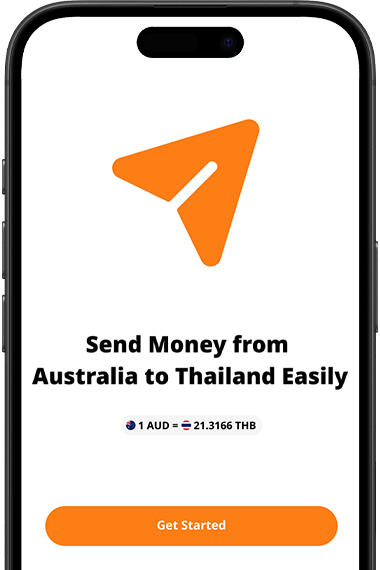
Join the Waitlist
Get the app for Instantly transfer funds with the touch of your fingertips
from our easy-to-use money transfer app. Sending money
abroad has never been easier or more convenient.
Limited early access. Request your invitation today.